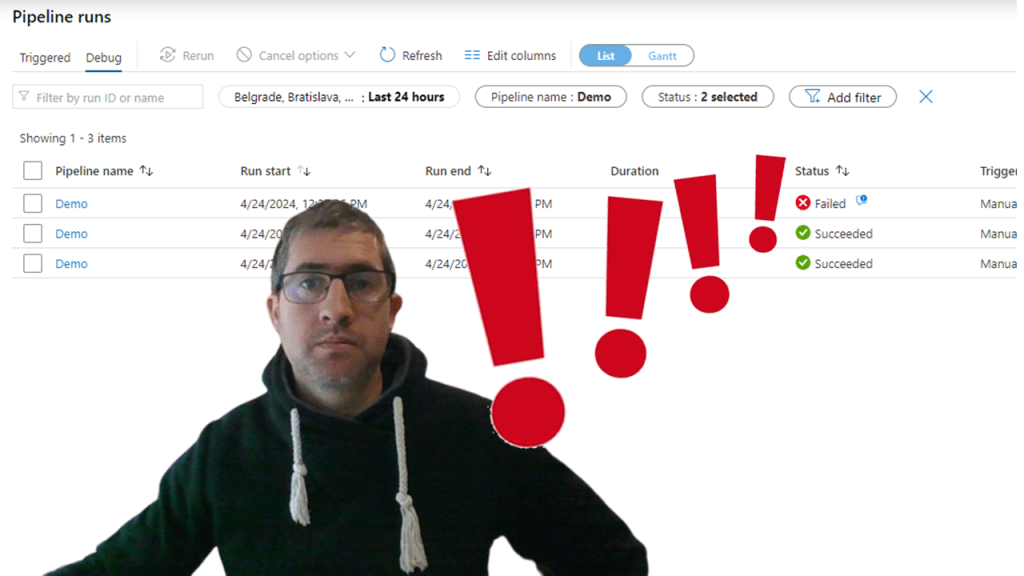
I do love working in Synapse as I think this is a highly integrated orchestration tool that really contains almost everything that’s needed for a data engineer. However just as all tools it also has some missing pieces. One of those pieces is the alerting functionality at least a native build in alerting functionality.
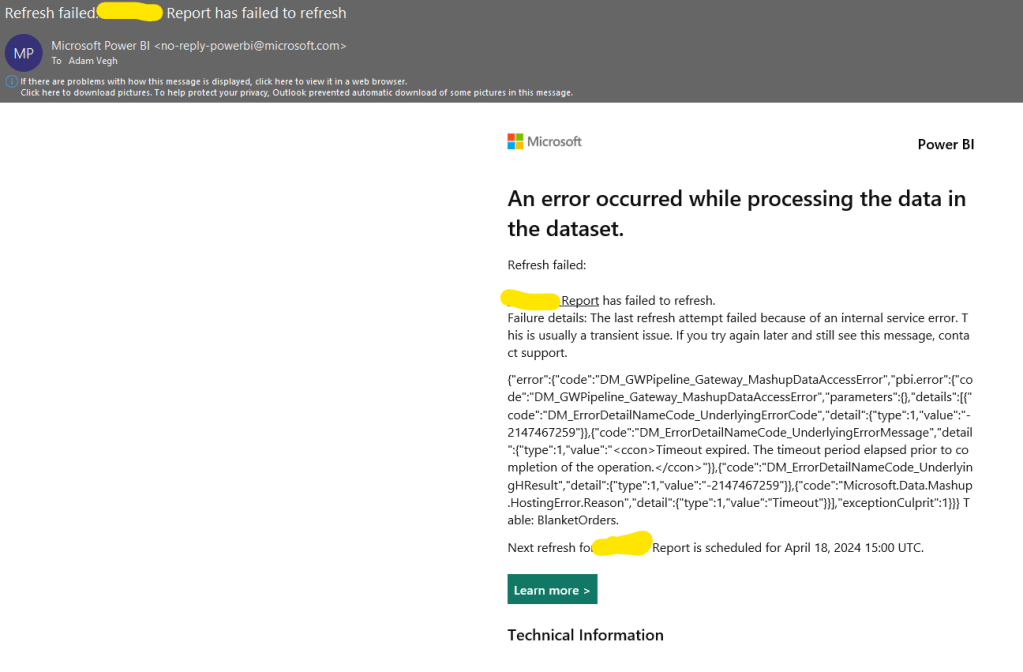
This alerting functionality is pretty obvious for a lot of other tools, let’s just think about Power BI Service where the Semantic Model owner is immediately notified if the model refreshment fails
Or how it can be set in Azure Data Factory:
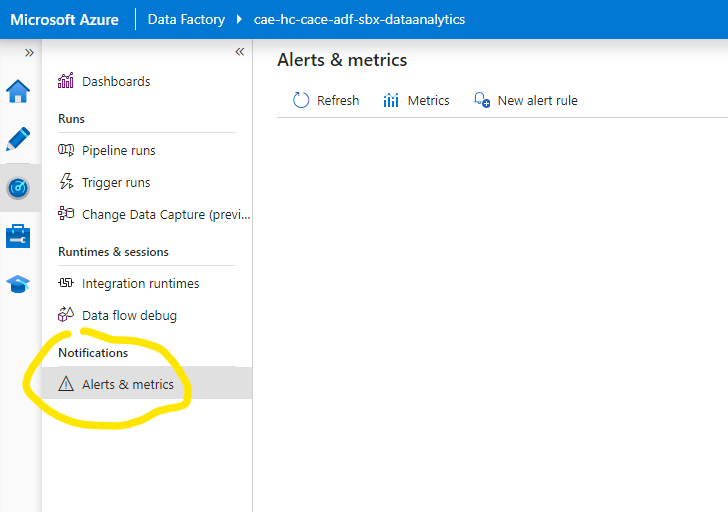
And unfortunately this is not the case for Synapse. But having no native alerting function doesn’t mean it cannot be solved. Let me show you a way how we can leverage Azure Logic Apps workflow to achieve our target.
First of all we need to define what information we are looking for in case a pipeline fails. I think the most important ones would be:
- Pipeline Name
- Run identifier
- Run Time
- Error message
So let’s start with setting up the Logic App workflow that will send us the notification message. In Logic App I’m setting up a workflow called Test_Synapse_Failure_Notification. The workflow trigger will be an “When a HTTP request is received”. Within this trigger we can setup the json schema we want to receive from Synapse pipeline run. The json code will be:
{
“properties”: {
“Pipeline_Name”: {
“type”: “string”
},
“Run_Id”: {
“type”: “string”
},
“Run_Time”: {
“type”: “string”
}
“Error_Message”: {
“type”: “string”
}
},
“type”: “object”
}
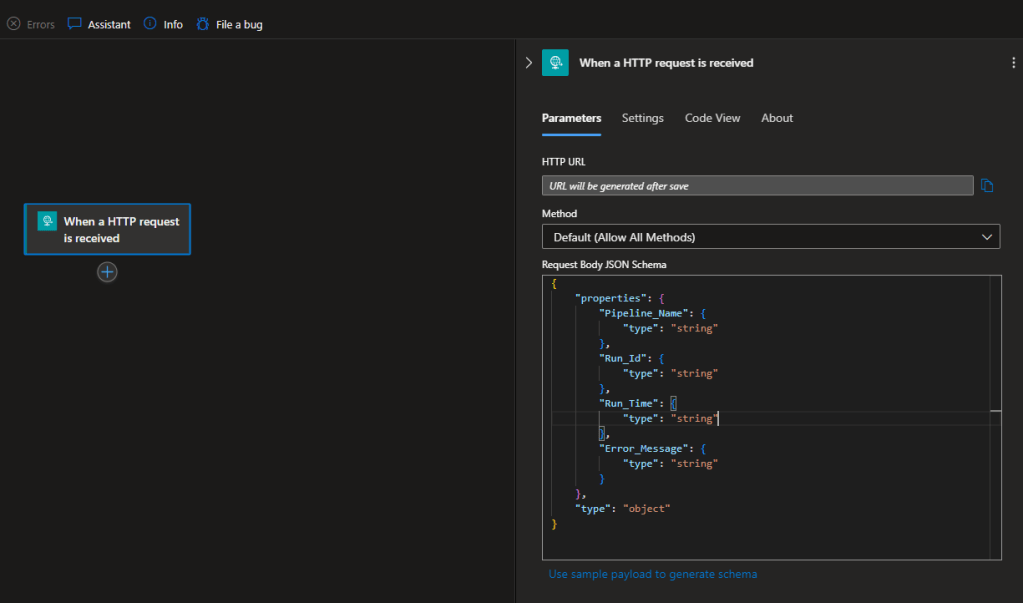
Note, that at this time we don’t have a URL that will be created as soon as we save the workflow.
As the next step we can add the notification action that can be either an e-mail or a Teams message or anything else. Now I will create an e-mail notification. Let’s add a ‘Send an email’ Action
For the e-mail address let’s type a valid e-mail – now I’ll use a dummy one. For the subject and body we can already edit it dynamically based on the pipeline details.
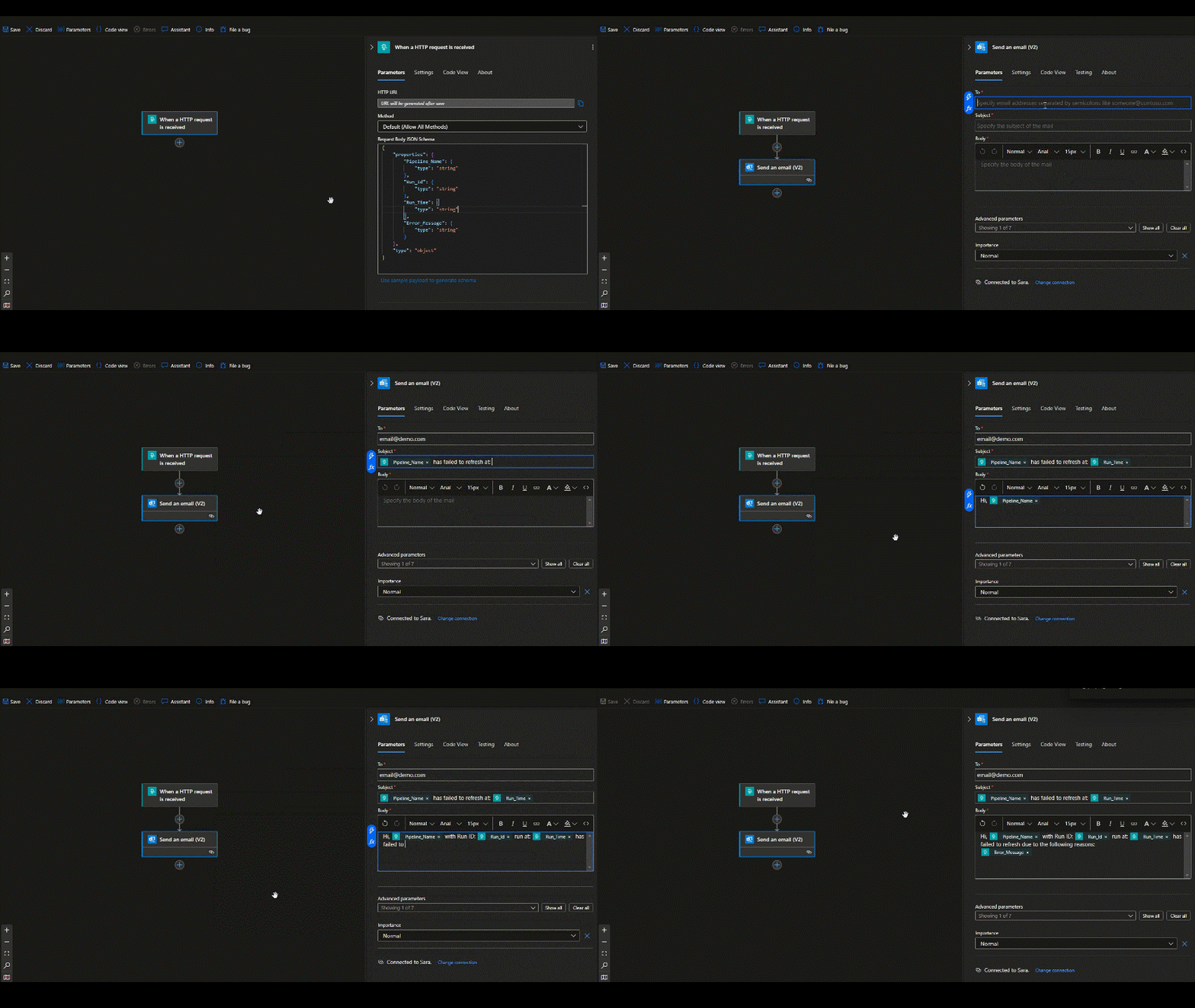
Save the work and we are done here with the workflow piece. As a last step, we can have the URL that was missing so far by changing the menu to the Overview and back to Designer. We can copy it as it will be needed for the next step:

Go back to Synapse Analytics Studio and open the Pipeline we need the notification for. We can add a Web activity where we can specify the following information:
- Place of the new activity: On Failure after the last step of the pipeline
- Name: Notification on Failure
- Settings URL: the workflow Trigger URL copied in Logic App above
- Method: POST
- Body: above defined JSON format with dynamic content refined from the pipeline System Variables
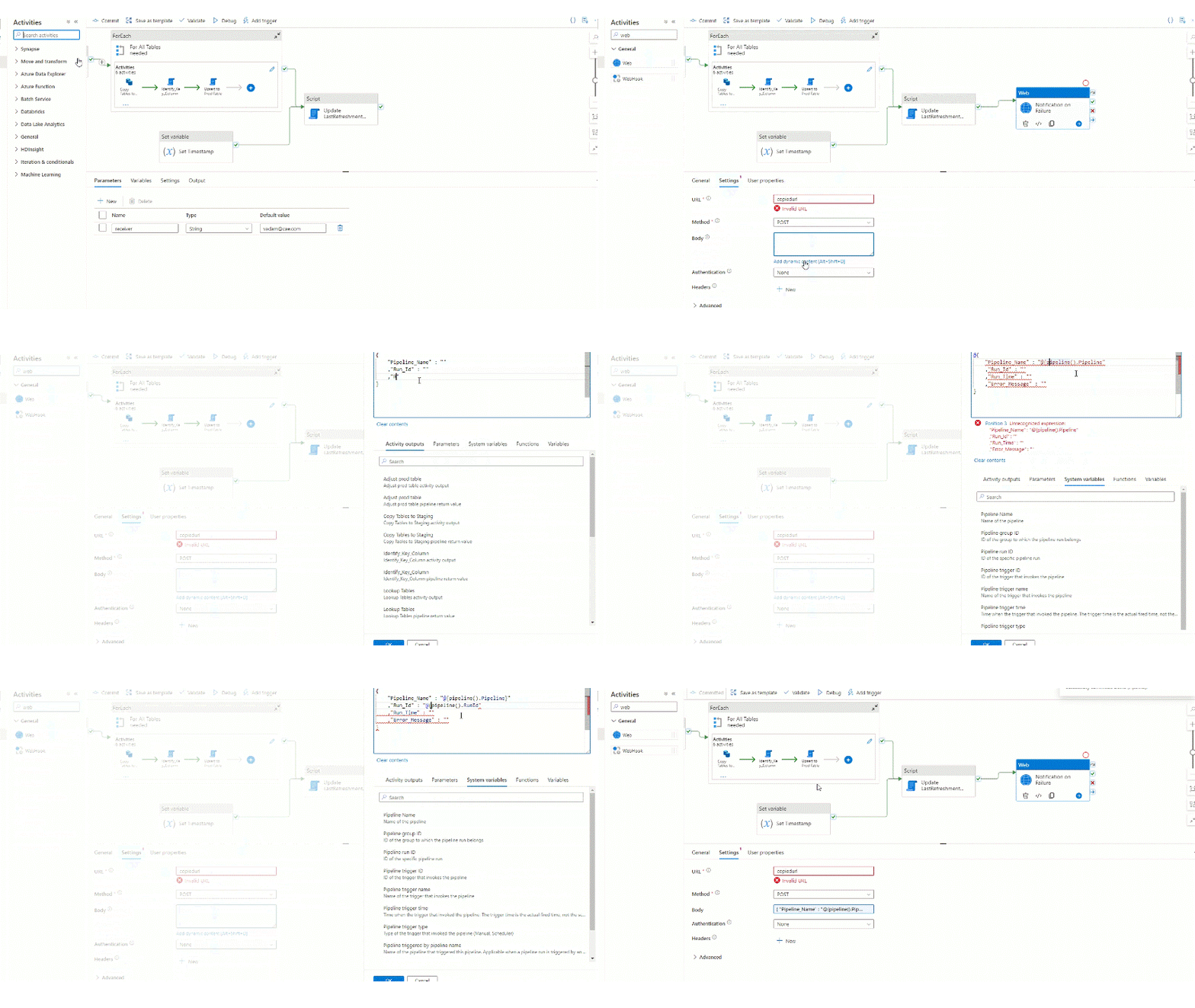
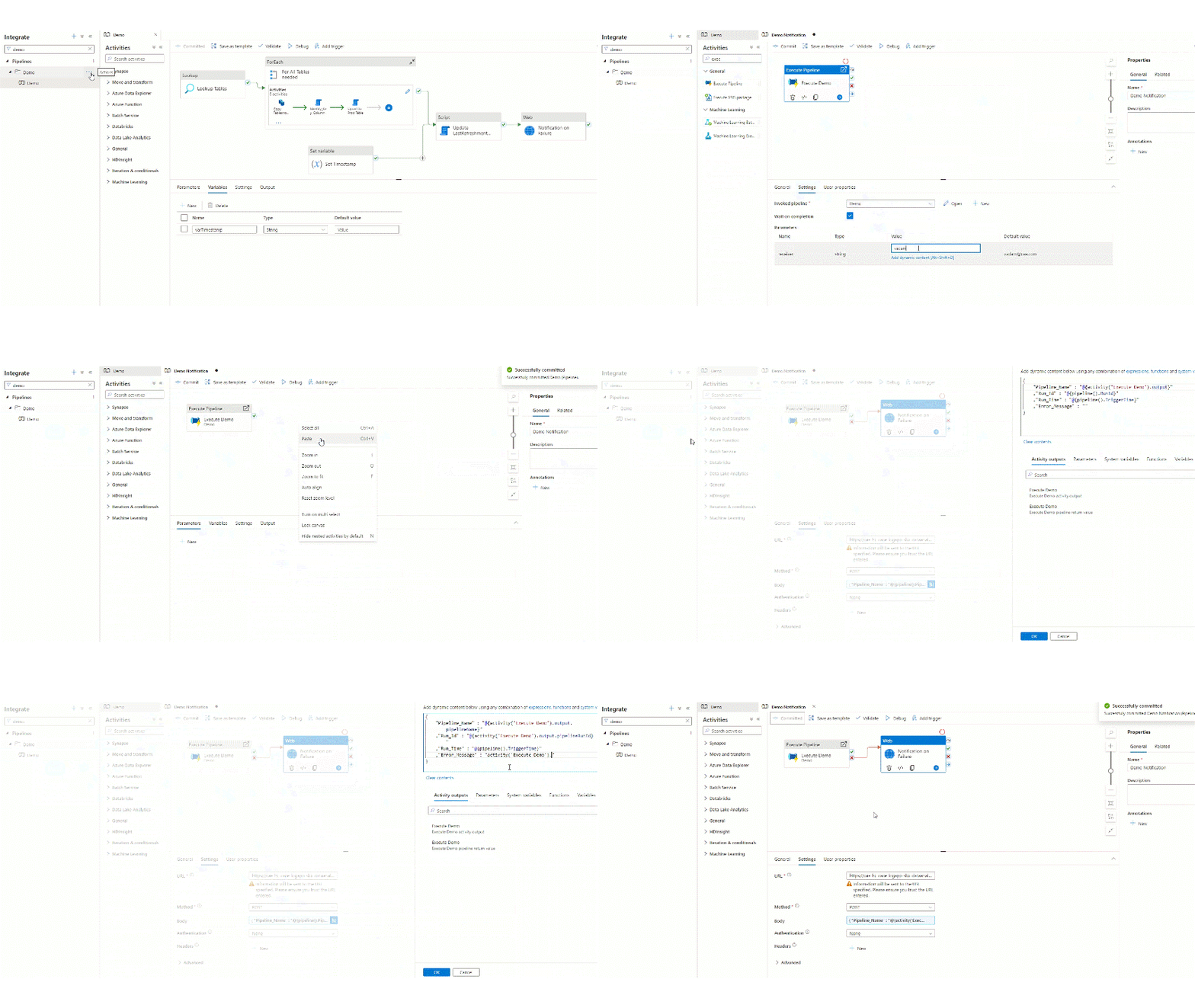
As you can see we could refine the Pipeline Name, the Run Id and the Run Time, but not yet the Error Message. Error Message would be available by activity but in this case we should reference all activity outputs to have the error messages. The way how we want to add the error message is a consolidated message that we can see on the Monitor tab when we check the pipeline failure. For that we can do an additional step by creating a new pipeline. This pipeline would only execute the Demo pipeline we were working in and as the Execute Pipeline is a single action here we will be able to refine the consolidated error message. However we will need to slightly modify the other elements as in this case the pipeline attributes will not be the current pipeline system variables except the Run Time, but as well the attributes of the Execute Pipeline activity:
Now let’s run the new Pipeline to see the results. In the Debug run first we can check the error message in Synapse Analytics which message we expect to receive with the workflow:

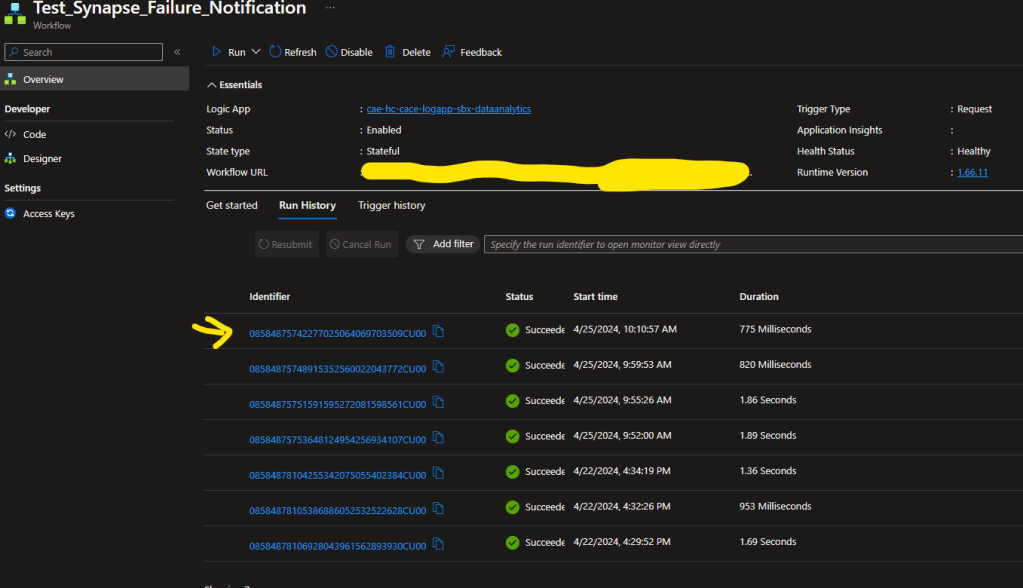
Let’s take a look at the workflow runs, it seems that the workflow run properly:
And I also received the e-mail I’ve setup up successfully:
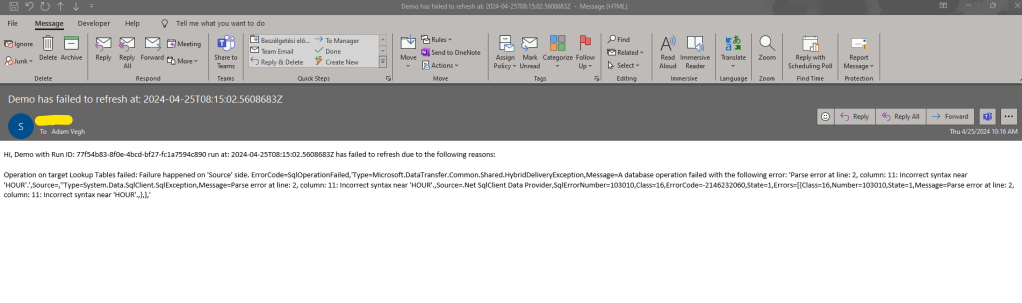
Looking good :). So that’s it. With this setup you will immediately receive notification if your pipeline fails for some reasons and you can go there to fix it. Also note that vs e.g. Power BI where you receive 3 e-mails and after that the refreshment will be disabled, in Synapse Analytics with this approach you will get notification for all run failures. e.g. if you have a pipeline that runs every minute and something starts to be wrong with that, you will receive a notification each minutes in your e-mail address.
Cheers!

 Adam's Perspective on Data
Leave a comment