In the last couple of days I spent some time learning a bit more about SVG images and their usage in Power BI. There are actually a lot of fun in that stuff, and a lot a things can be solved to create a visual as you want. First I was having some tiny tests to create custom images, customize them with Power BI datapoints and also to animate them. Here are the results:

Cool 🙂
After that I deep dived into some more complex coding by analysing Kerry Kolosko’s SVG Templates (https://kerrykolosko.com/portfolio-category/svg-templates/) and W3School’s SVG Tutorial (https://www.w3schools.com/graphics/svg_intro.asp).
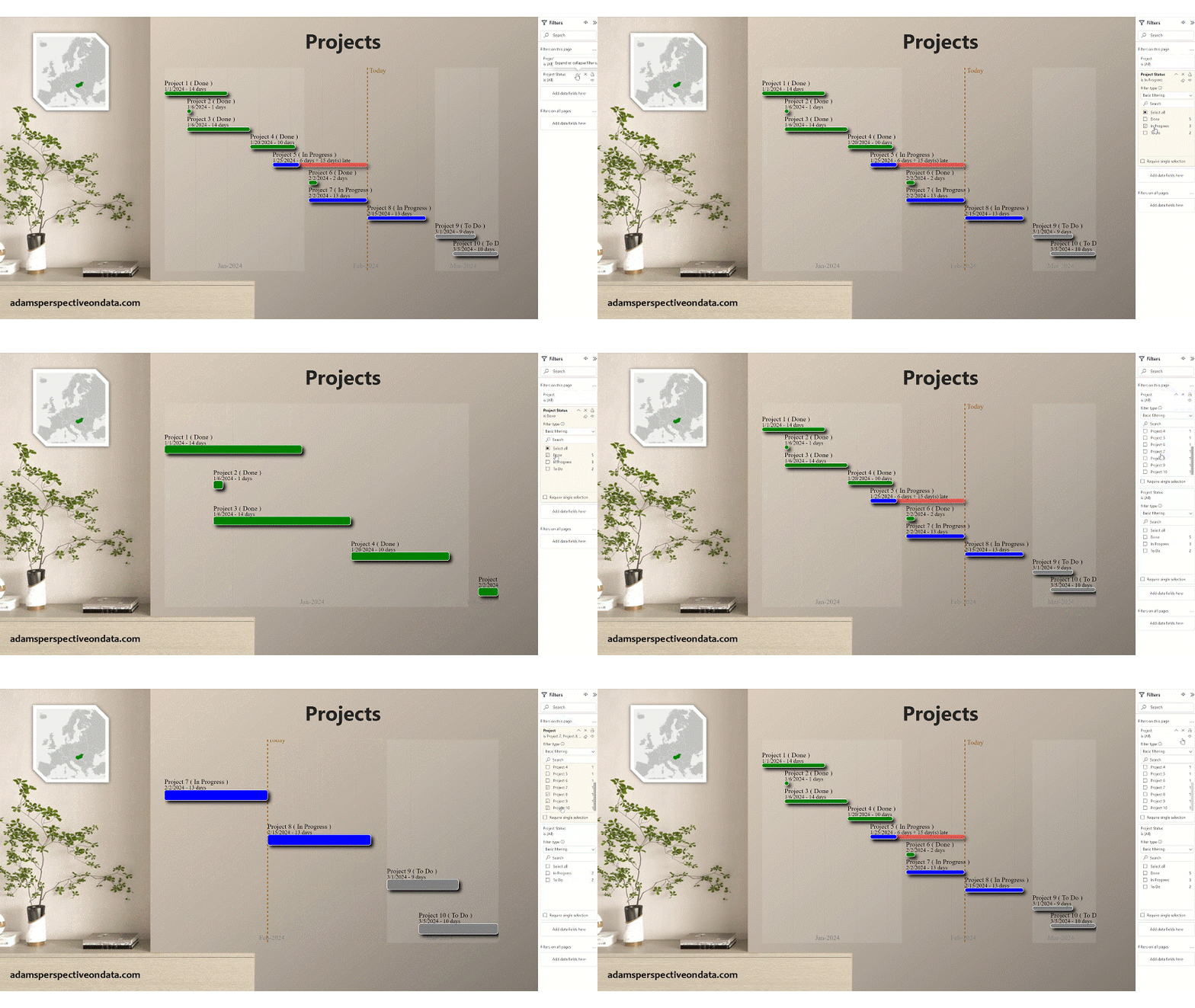
The topic I’ve chosen for the first visual I’ve made is a GANTT chart of projects. In one of my video’s I’ve explained how a GANTT chart can be created in Power BI with native visuals, now I wanted to create something similar with SVG. If I can add some additional things that PBI cannot do, that would have been an extra achievement for me.
After some hours of work finally I could finalize my very first SVG Template for the GANTT chart that is ideal to visualize projects up to 10-15 project steps.
Here is the template code with the steps explaining how to adjust it to the target dataset:
SVG gantt =
--Following steps should be done to adjust the measure:
--1. Select 'Table'[Project Name] occurances with CTRL+SHIFT+L and change it to your Start Date column
--2. Do the same with Start Date, End Date and Status columns.
--3. Then do the same for the 'Table' object itself
--4. Set the absolute_width equal to the image size you set in the selected visual
--5. Adjust the weektype, by default it is 1 (Starting the week from Sundays)
--6. Adjust Status values to your statuses for color coding e.g. Change "Done" to "Complete" if Complete is the 100% status in your dataset

--Set the absolute_width equal to the image size you set in the selected visual
var absolute_width = 800

--Adjust the weektype, by default it is 1 (Starting the week from Sundays)
var weektype = 1

--setup of base figures
var absolute_min_date = CALCULATE(MIN('Table'[Start Date]),ALLSELECTED('Table'))
var absolute_max_date = CALCULATE(MAX('Table'[End Date]),ALLSELECTED('Table'))
var length_1_day = absolute_width / DATEDIFF( absolute_min_date ,absolute_max_date ,DAY )
--setup monthly shading
var months =
CONCATENATEX(
    ADDCOLUMNS(
        SUMMARIZE(
            ADDCOLUMNS(
                SELECTCOLUMNS(
                    GENERATESERIES(absolute_min_date,absolute_max_date,1)
                    , "Dates", [Value]
                )
                , "Month-Year", FORMAT([Dates],"MMM") & "-" & FORMAT([Dates],"yyyy")
                , "StartDate", INT(DATEDIFF( absolute_min_date , IF(EOMONTH([Dates],-1)+1>absolute_min_date,EOMONTH([Dates],-1)+1,absolute_min_date) ,DAY ) * length_1_day)
                , "EndDate", INT(DATEDIFF( absolute_min_date , IF(EOMONTH([Dates],0)+1<absolute_max_date,EOMONTH([Dates],0)+1,absolute_max_date) ,DAY ) * length_1_day)
                , "Opacity", IF(MONTH([Dates])/2=ROUND(MONTH([Dates])/2,0),0,0.1)
            )
            , [Month-Year], [StartDate], [EndDate], [Opacity], "MidMonth", ([EndDate]+[StartDate])/2-absolute_width*0.05
        )
        , "rect"
            ,"<rect width='"&[EndDate]-[StartDate]&"' height='"&INT(absolute_width/9*6)&"' x='"&[StartDate]&"' y='0' style='fill:white;stroke:none;stroke-width:0;fill-opacity:"&[Opacity]&";stroke-opacity:0.9' />"
        , "label"
            ,"<text x='" & [MidMonth] & "' y='" & INT(absolute_width/9*6)*0.9 & "' fill='grey' stroke='none' font-size='" & absolute_width/50 & "'>" & [Month-Year] & "</text>"
    )
    ,[rect] & " " & [label], " ", [StartDate]
)
--setup weeks
var weeks =
CONCATENATEX(
    ADDCOLUMNS(
        SUMMARIZE(
            ADDCOLUMNS(
                SELECTCOLUMNS(
                    GENERATESERIES(absolute_min_date,absolute_max_date,1)
                    , "Dates", [Value]
                )
                , "Week-Year", WEEKNUM([Dates],weektype) & "-" & FORMAT([Dates],"yyyy")
                , "StartDate", INT(DATEDIFF( absolute_min_date , IF([Dates] - WEEKDAY([Dates],weektype) + 1>absolute_min_date,[Dates] - WEEKDAY([Dates],weektype) + 1,absolute_min_date) ,DAY ) * length_1_day)
            )
            ,[Week-Year], [StartDate]
        )
        , "line"
            ," <line x1=' " & [StartDate] & " ' y1='0' x2=' " & [StartDate] & " ' y2=' " & absolute_width/9*6 & " ' style='stroke:grey;stroke-width:0.25' stroke-dasharray='2,2'/>"
    )
    ,[line], " ", [StartDate]
)
--setup some further base measures
var today_date = DATE(2024,2,15)
var today_calc =
INT(DATEDIFF( absolute_min_date , today_date ,DAY ) * length_1_day)
var numberofpr = CALCULATE(COUNTROWS('Table'),ALLSELECTED('Table'))
var ranking = RANKX(ALLSELECTED('Table'),CALCULATE(INT(MAX('Table'[Start Date]))*100000+INT(MAX('Table'[End Date]))),,ASC,Dense)
--setup the individual bar elements by project
var bars_per_project =
CONCATENATEX(
    ADDCOLUMNS(
        'Table'
        ,"rect" --Main bar for the project
            ,"<rect width='" & INT(DATEDIFF( 'Table'[Start Date] , 'Table'[End Date] ,DAY ) * length_1_day)
            & "' height='" & 100/numberofpr
            &"' x='" & INT(DATEDIFF( absolute_min_date , 'Table'[Start Date] ,DAY ) * length_1_day)
            &"' y='"& absolute_width/55+INT(RANKX(ALLSELECTED('Table'),INT('Table'[Start Date])*100000+INT('Table'[End Date]),,ASC,Dense)*((absolute_width/9*6)/numberofpr*0.8))
            &"' rx='5' ry='5' style='fill:"
            --!!! Statuses should be adjusted to the statuses of your dataset
            & SWITCH( 'Table'[Project Status] ,"Done","green" ,"In Progress","blue" ,"To Do","grey")
            & ";stroke:white;stroke-width:1;opacity:1' filter='url(#f3)'/>"
        ,"rect_late" --Late bar for the late 'Table'
            --!!! Status need to be adjusted to your appropriate Done status
            ,IF('Table'[Project Status]<>"Done"&&'Table'[End Date]<today_date
            ,"<rect width='" & INT(DATEDIFF( 'Table'[Start Date] , today_date ,DAY ) * length_1_day)
            & "' height='" & 100/numberofpr
            &"' x='" & INT(DATEDIFF( absolute_min_date , 'Table'[Start Date] ,DAY ) * length_1_day)
            &"' y='"& absolute_width/55+INT(RANKX(ALLSELECTED('Table'),INT('Table'[Start Date])*100000+INT('Table'[End Date]),,ASC,Dense)*((absolute_width/9*6)/numberofpr*0.8))
            &"' rx='5' ry='5' style='fill:red;stroke:white;stroke-width:1;opacity:0.5;stroke-dasharray:2,2' filter='url(#f3)'/>")
        ,"text" --Main text of the project
            ,"<text x='" & INT(DATEDIFF( absolute_min_date , 'Table'[Start Date] ,DAY ) * length_1_day)
            & "' y='" & INT(RANKX(ALLSELECTED('Table'),INT('Table'[Start Date])*100000+INT('Table'[End Date]),,ASC,Dense)*((absolute_width/9*6)/numberofpr*0.8))
            & "' fill='black' stroke='none' font-size='" & absolute_width/50 & "'>"&'Table'[Project]&" ( "&'Table'[Project Status]&" )"&"</text>"
        ,"details" --details line of the project
            ,"<text x='" & INT(DATEDIFF( absolute_min_date , 'Table'[Start Date] ,DAY ) * length_1_day)
            & "' y='" & absolute_width/60+INT(RANKX(ALLSELECTED('Table'),INT('Table'[Start Date])*100000+INT('Table'[End Date]),,ASC,Dense)*((absolute_width/9*6)/numberofpr*0.8))
            & "' fill='black' stroke='none' font-size='" & absolute_width/60 & "'>"&'Table'[Start Date]&" - "&DATEDIFF('Table'[Start Date],'Table'[End Date],DAY)&" days"&IF('Table'[Project Status]<>"Done"&&'Table'[End Date]<today_date," + "&DATEDIFF('Table'[End Date],today_date,DAY)&" day(s) late")&"</text>"
    ),[rect_late] & " " & [rect] & " " & [text] & " " & [details]," ",'Table'[Project])


RETURN

--returning the SVG specification
"data:image/svg+xml;utf8, <svg height=' " & INT(absolute_width/9*6) & " ' width=' " & absolute_width & " ' xmlns='http://www.w3.org/2000/svg'>
    <defs>
    <filter id='f3' width='" & absolute_width/5 & "' height='" & absolute_width/5 & "'>
      <feOffset in='SourceAlpha' dx='" & absolute_width/150 & "' dy='" & absolute_width/150 & "' />
      <feGaussianBlur stdDeviation='" & absolute_width/200 & "' />
      <feBlend in='SourceGraphic' in2='blurOut' />
    </filter>
    </defs>
  " & months & "
  " & weeks & "
  <line x1=' " & today_calc & " ' y1='0' x2=' " & today_calc & " ' y2=' " & absolute_width/9*6 & " ' style='stroke:#8E5608;stroke-width:2' stroke-dasharray='5,5'/>
  <text x='" & today_calc*1.01 & "' y='" & today_calc/40 & "' fill='#8E5608' stroke='none' font-size='" & absolute_width/50 & "'>Today</text>
  <text x='" & today_calc*1.2 & "' y='" & today_calc/40 & "' fill='grey' stroke='none' font-size='" & absolute_width/50 & "'>"&bars_per_project&"</text>
  " & bars_per_project & "
</svg>"
And here is the step-by-step guide how to set the template for your report.
Create a new measure in your Power BI dataset/report and COPY PASTE the above code there
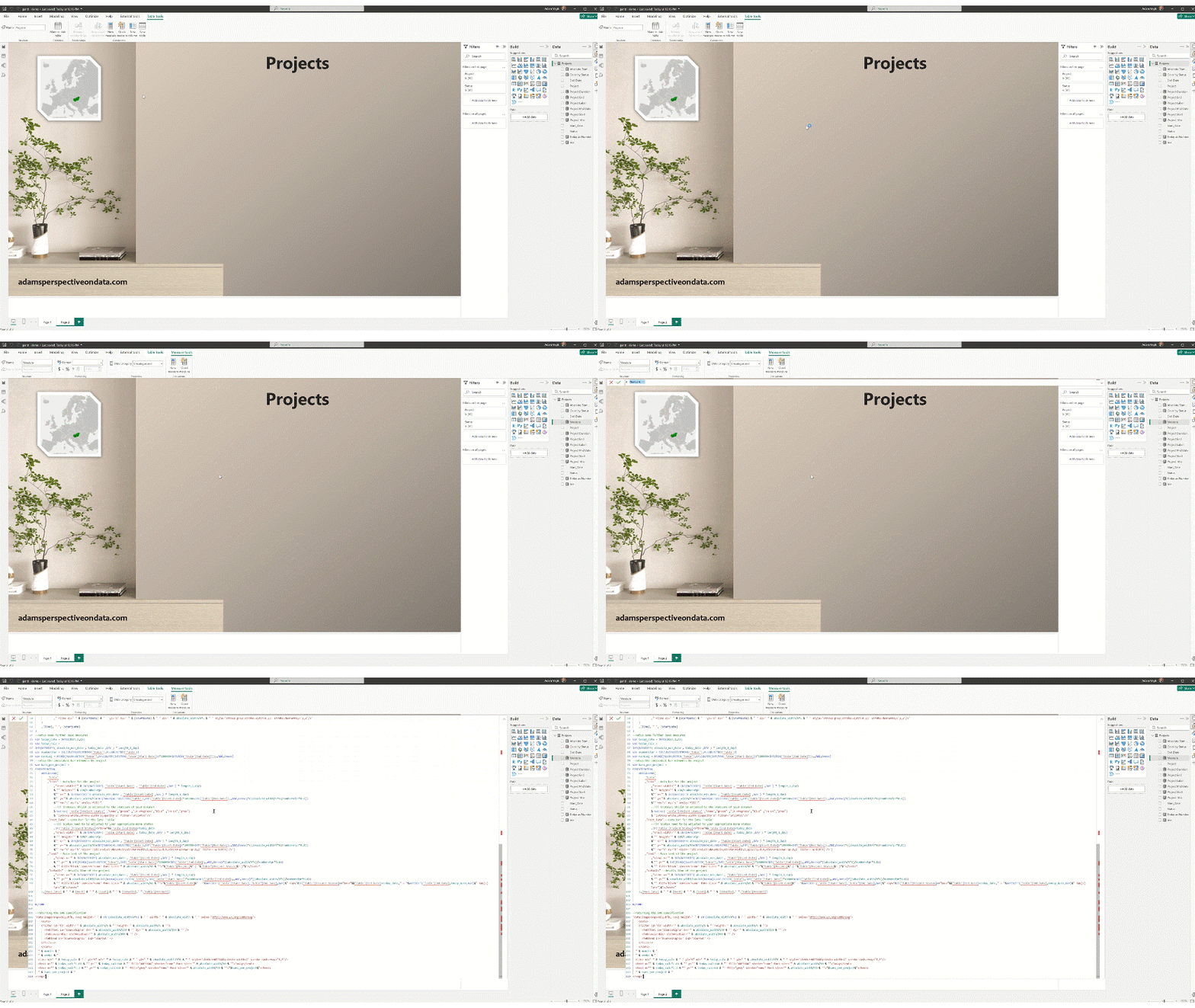
Select all occurances of the ‘Table’ column references using CTRL+SHIFT+L and replace them to the columns in the target dataset:

Adjust Status steps if necessary
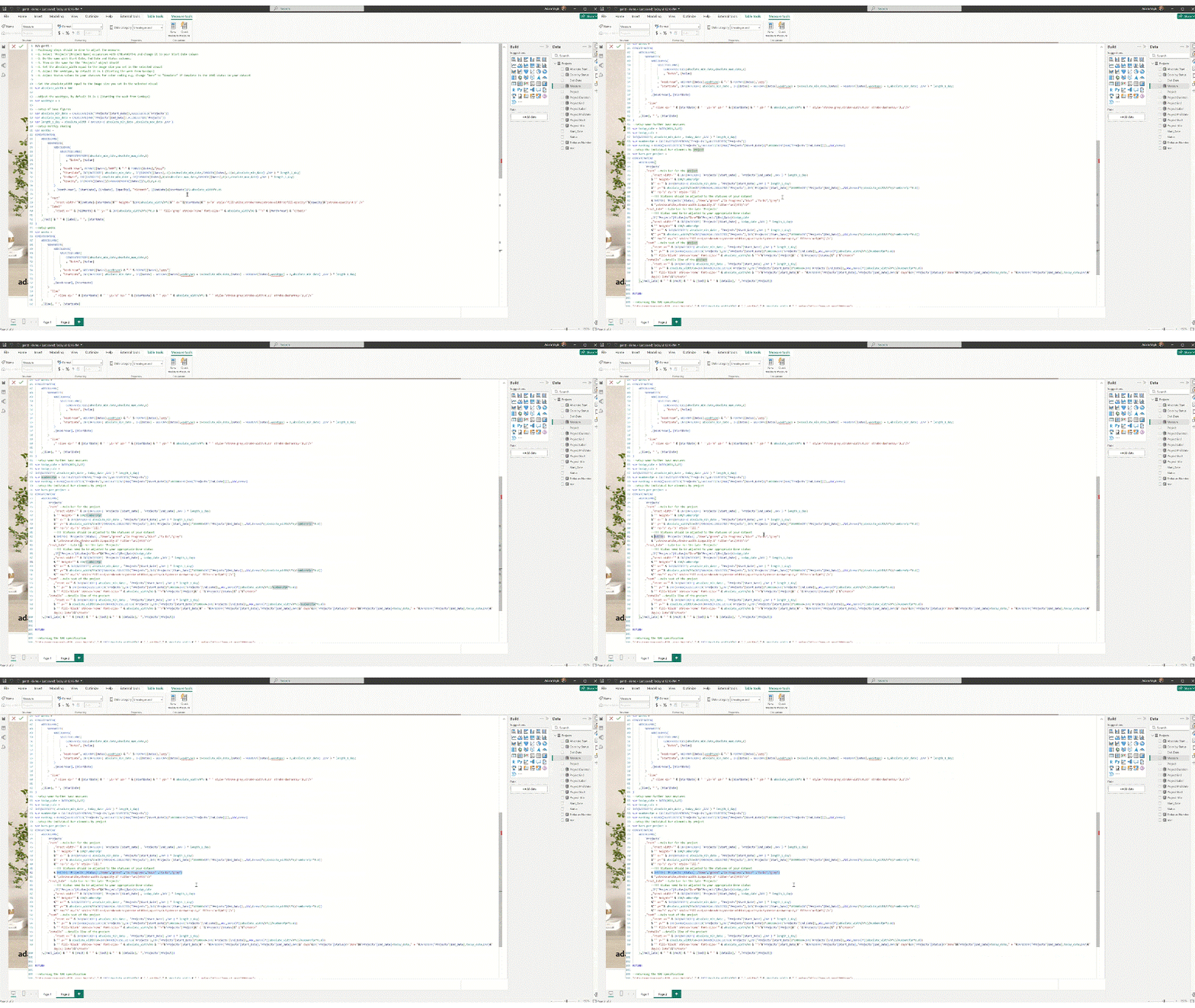
Adjust the Week Type setting based on if you would have Sunday or Monday as day 1. Then click Enter to save the measure.

Create a New Card visual (simple Card visual cannot show images), add Image feature, change it to be on the left side of the cell and set the image size that should be the same as the absolute_width parameter in the code. Adjust the parameter if necessary.
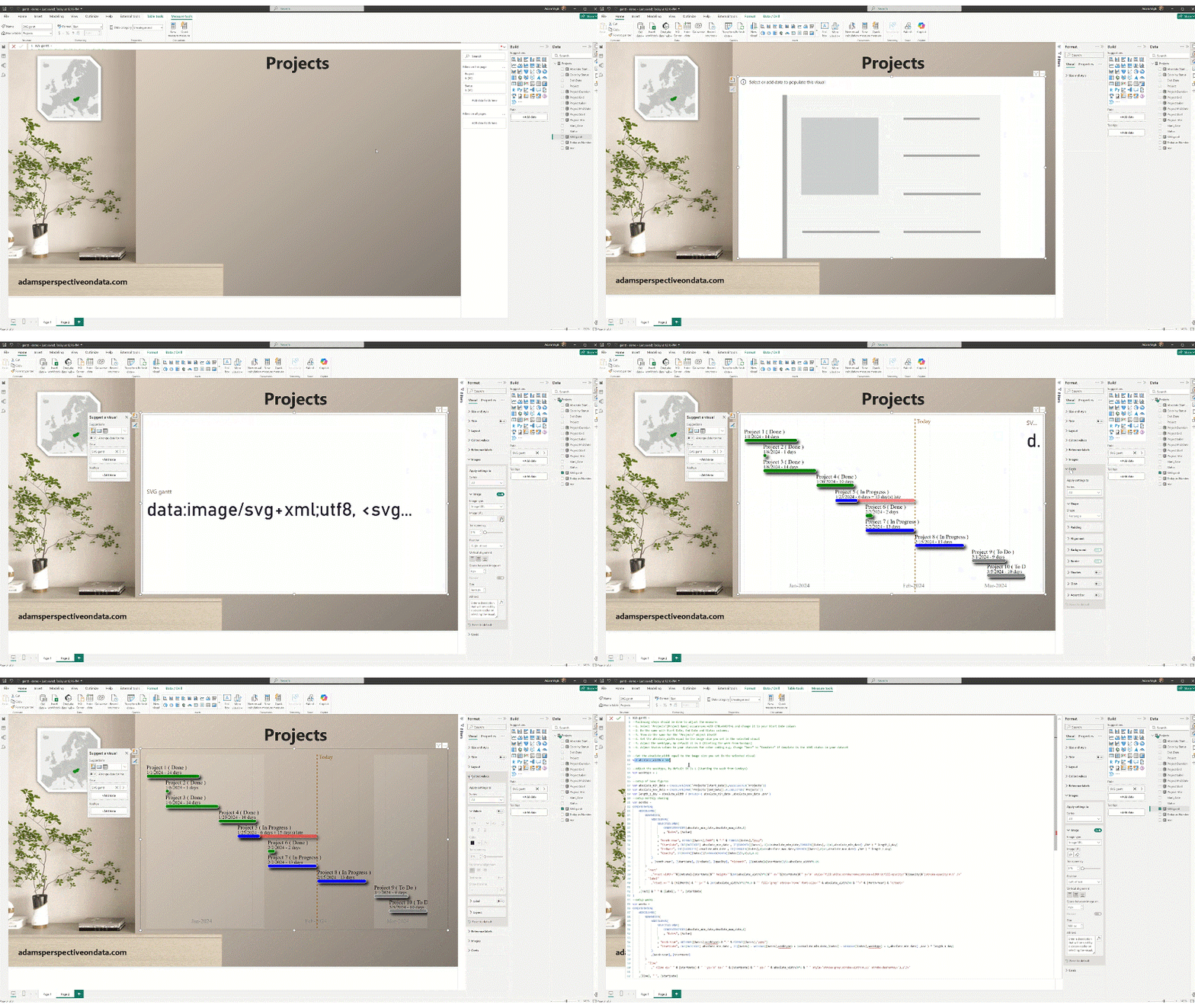
And that’s it 🙂
Not a candidate for the Visual Marketplace yet, but I truly enjoyed creating it. More to come!
Cheers!

 Adam's Perspective on Data
Leave a comment